Showing posts with label Info Teknologi. Show all posts

Saturday, November 29, 2014

Taig Jailbreak untuk iOS 8.1.1 - iOS 8.2 beta

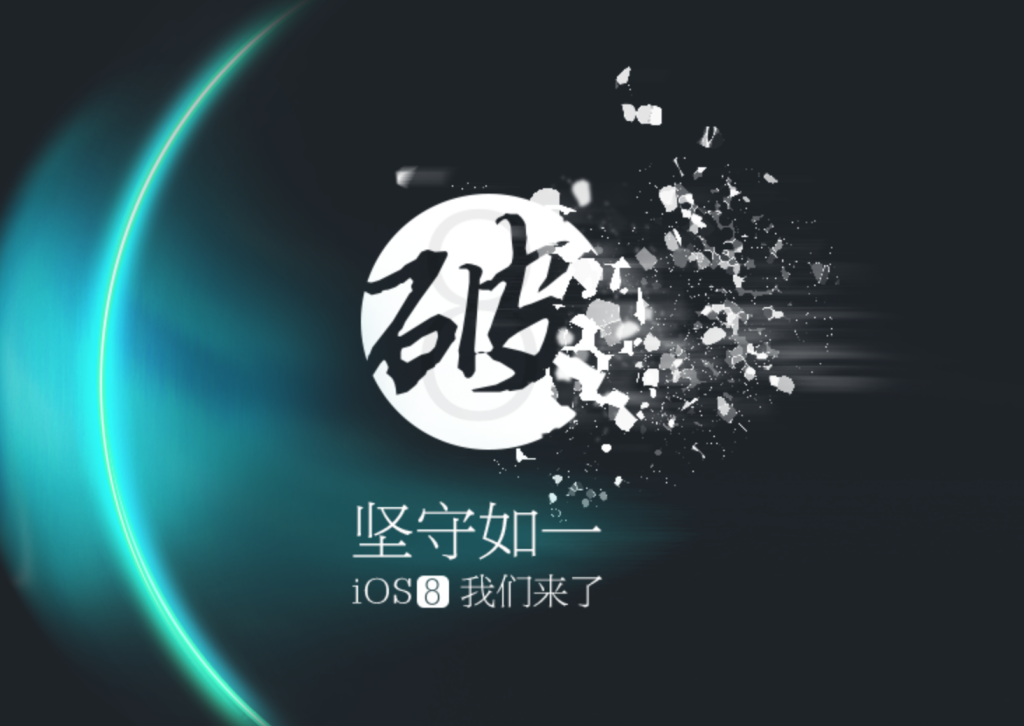
Taig (Taiji) Jailbreak - Tim (Taiji) Taig baru saja merilis jailbreak iOS 8.1.1 - iOS 8.2 beta untuk perangkat Apple terbaru termasuk iPhone 6 dan iPhone 6 plus. Anda dapat mengunduh Cydia melalui Taig (Taiji) jailbreak. Unduh aplikasi Taig (Taiji) melalui halaman ini.

Taig (Taiji) Jailbreak


TaiG jailbreak kompatibel dengan perangkat apple berikut ini :
  • iPhone 4s, iPhone 5, iPhone 5s, iPhone 5c, iPhone 6, iPhone 6 Plus
  • iPad 4, iPad mini, iPad mini 2, iPad mini 3, iPad, iPad Air, iPad Air 2
  • iPod touch 5G

Tautan unduhan TaiG (updating)


sumber :  [via TaiG.com]

Thursday, October 30, 2014

Jailbreak Pangu iOS 8 Resmi Terintegrasi Cydia


pangu

Pastinya kamu ingat kan, minggu lalu tim Pangu resmi merilis cara untuk Jailbreak iOS 8? Nah hari ini tools tersebut telah disempurnakan dengan integrasi Cydiadi dalamnya. Pengguna publik sudah dapat mengunduh dan melakukan proses Jailbreak dengan sangat mudah dan cepat. 

Perhatian: Tim MakeMac menyarankan kamu untuk melakukan Jailbreak pada perangkat iOS 8 yang telah update dengan cara restore, bukan OTA. Segala kerusakan atau masalah yang terjadi pada perangkat bukan tanggung jawab MakeMac.

Berikut ini langkah-langkah Jailbreak iOS 8 dengan Pangu.

  1. Unduh aplikasi Pangu for Windows v 1.0.1 dari laman Pangu.io. Untuk sementara ini hanya ada versi Windows, pengguna Mac harap bersabar sebentar lagi.
  2. Klik kanan aplikasi Pangu, pilih run as administrator.
  3. Hubungkan perangkat iOS 8 milikmu ke komputer dengan bantuan kabel data.
  4. Uncheck pilihan yang ada di check box sebelah kiri layar.
  5. Saatnya memulai Jailbreak! Tekan ikon biru di tampilan utama, tunggu hingga proses selesai. Perangkat iOS kamu akan mengalami reboot beberapa kali sebelum semuanya ini selesai. pangu
  6. Setelah proses selesai, kamu akan melihat ikon Pangu di home screen iPad atu iPhone tersebut. Buka aplikasi Pangu, saatnya menginstal Cydia.
  7. Instal aplikasi Cydia dengan cara menekan teks Instal di kanan atas. pangu
  8. Setelah selesai, tekan tombol Respring untuk merestart perangkat.
  9. Nah sekarang coba cari Cydia di home screen kamu, sudah tersedia kan?

Baca Juga:


Selamat mencoba ya..! Jadi, tweakJailbreak pertama apakah yang akan kamu instal?

Wednesday, October 22, 2014

Tools Jailbreak Pangu.io untuk iOS 8.1 Resmi Rilis


Hanya beberapa hari berselang sejak iOS 8.1 dirilis oleh Apple, tools Jaibreak untuk versi tersebut resmi dirilis. Grup pengembang dari Tiongkok, Pangu.iobaru saja menghadirkan Pangu.io versi 8.1. Sayangnya untuk sementara ini hanya tersedia aplikasi Pangu.io untuk perangkat Windows.

Nah, ada satu hal yang patut kamu pahami sebelum mencoba Pangu.io. Dalam versi awalnya ini, sang pengembang baru berhasil ‘menembus’ jalur core iOS dan belum berhasil memasukkan Cydia ke dalam perangkat yang di Jailbreak. Dalam hal ini mereka sudah meminta bantuan Saurik (pemilik dan pengembang Cydia) dan akan membantu proses memasukkan Substrate. 

He has told me one of the issues that is keeping Substrate from working on the device, which will probably require me to build a little binary patch for dyld as part of the Substrate installation sequence.

Seperti kutipan di atas, kita hanya perlu menunggu Saurik memberikan Patch. Sayangnya dia sedang tidak bisa duduk manis di depan komputer hingga beberapa jam ke depan karena sedang berada diluar kota. 

Beberapa teman yang sudah mencoba juga mengatakan bahwa proses Jailbreak tersebut masih mengalami error. Mungkin karena server yang belum stabil bila menurut saya.

Bila sudah stabil dan di patch Substrate, apakah kamu tertarik untuk mencoba pangu.io ?


Sunday, October 5, 2014

Windows 10 Technical Preview

Windows 10 Technical Preview


Description

Microsoft only unveiled Windows 10 to the world yesterday, but you can already download a preview version of the new operating system today. The Windows 10 Technical Preview is designed for enthusiasts, developers, and enterprise customers to evaluate the latest changes to Windows. Microsoft has created a special insiders program to deliver regular updates throughout the Windows 10 development cycle, and those who sign up will get the very latest software to test. It’s an unusual move for Microsoft, but one that it plans to capitalize on by looking closely at feedback from those who opt to install the early version of Windows 10. Microsoft is releasing Windows 10 Technical Preview as an ISO download, meaning you can install it in a virtual machine, clean install the OS on a spare machine, or even attempt to upgrade your existing Windows 8.1 installation. It’s a very early build of Windows 10 so there will be bugs, but if you’re interested in testing the very latest version of Windows then Microsoft’s preview site has all the details for downloading and installing Windows 10.


Information
Processor: 1 gigahertz (GHz) or faster
RAM: 1 gigabyte (GB) (32-bit) or 2 GB (64-bit)
Free hard disk space: 16 GB
Graphics card: Microsoft DirectX 9 graphics device with WDDM driver
A Microsoft account and Internet access

Tuesday, July 15, 2014

Cara Mematikan Musik Otomatis Berbasis Timer di iPhone dan iPad

Musik Timer

Siapa yang suka mendengarkan musik sebelum tidur menggunakan iPhone atau iPad? Nah, bagaimana cara mematikan musik tersebut secara otomatis ketika kamu tidur? Mudah saja, tanpa perlu menginstal aplikasi tambahan kok. Fitur tersebut tersembunyi di aplikasi Clock bawaan perangakat iOS. Mari kita bahas langkah-langkahnya :

  1. Putar lagu favorit kamu menggunakan aplikasi Music.
  2. Sembunyikan aplikasi dengan menekan home button, lalu cari aplikasi Clock.
  3. Buka aplikasi Clock lalu pilih tabTimer di bagian kanan bawah.
  4. Atur waktu yang kamu inginkan, misalkan 2 jam.
  5. Setelah itu tab list When Timer Endslalu pilih Stop Playing. Maksudnya, setelah penghitung waktu mundur berjalan, aplikasi Clock akan menghentikan musik yang sedang diputar. Timer Musik
  6. Sekarang kamu tinggal menekan tombol Start, setelah itu penghitung mundur akan diaktifkan. Timer Musik

Baca Juga: Cara Menghapus Semua Lagu Sekaligus di iPhone


Bagaimana, apakah musik yang diputar benar berhenti ketika Timer yang kamu tentukan selesai? Cara ini sangat membantu untuk menghemat penggunaan baterai perangkat iOS yang biasa kamu gunakan untuk memutar musik di malam hari. Selain itu indra pendengaran kita juga bisa ikut beristirahat dengan lebih baik ketika sudah tertidur.

Selama mencoba ya..!

Tuesday, July 1, 2014

Lupa Password Blackberry ID-Cara Reset BBID Android dan iPhone, Bagaimana Cara Reset Blackberry ID?

Ketika akan berganti ponsel dari Android ke iPhone, dan Anda tidak keinginan kehilangan seluruh kontak di BBM, maka yang harus dilakukan adalah Anda cukup sign in menggunakan Blackberry ID yang sama. Namun apa jadinya, bila ternyata Anda lupa password Blackberry ID? 

Seperti kita ketahui BBM saat ini sangat tergantung kepada Blackberry ID bukan lagi tergantung kepada PIN BBM. Itu artinya, kita bisa dengan mudah memindahkan kontak BBM dari satu ponsel ke ponsel lain hanya dengan Sign In menggunakan BBID yang sama.  Untuk mengetahui Blackberry ID Anda bisa masuk ke menu BBM Settings, disana akan terlihat Email dari BBD ID Anda.


Bagaimana bila kita lupa password BBID? Cara termudah adalah melakukan reset Blackberry ID di website resmi Blackberry : 

https://blackberryid.blackberry.com/bbid/recoverpassword

selanjutnya Anda tinggal masukan email BBID di kolom yang tersedia kemudian klik Submit.


Kemudian Anda Login ke email Anda baik itu gmail atau yahoo mail, Anda tinggal klik tautan Change Your Blackberry ™ Password yang diberikan oleh Balckberry untuk proses reset Blackberry ID Anda.


Setelah Anda sukses melakukan reset password Blackberry ID, kini Anda bisa Sign In ke BBM di Ponsel baru, jangan khawatir semua kontak akan beralih dari hp lama ke hp baru.


Monday, June 30, 2014

Tools Jailbreak Pangu Kini Tersedia Untuk OS X dan Berbahasa Inggris

Pangu io

Sudah seminggu berselang sejak dirilisnya tools Jailbreak Pangu dari grup pengembang @PanguTeam. Kini mereka telah merilis pembaruan Pangu ke versi 1.1 dengan beragam perbaikan menarik dan tambahan dukungan. Diataranya adalah menghadirkan Pangu dalam antarmuka berbahasa Inggris dan merilis Pangu untuk perangkat OS X.

Berikut ini daftar lengkap pembaruan Pangu versi 1.1:

  1. Add English support.
  2. Optimize the file size.
  3. Fix the boot loop bug.
  4. Using new info leak bug instead of @i0n1c’s
  5. Add online self verification

Selain mendukung bahasa Inggris dan tersedia untuk perangkat OS X, sang pengembang juga menghadirkan perbaikan untuk masalah boot loop yang terjadi pada beberapa pengguna. Mereka juga menghadirkan laman website Pangu berbahasa Inggris agar lebih familar untuk kamu akses.

Sebagai catatan, kamu tidak perlu melakukan Jailbreak ulang perangkat iOS 7.1 bila tidak menemukan masalah. Segera unduh Pangu bagi kamu yang berminat untuk melakukan Jailbreak dan selamat menikmati berbagai tweakmenarik dari Cydia.

How to add a custom boot logo to your jailbroken iDevice


If you're running any jailbreak on your iOS 7 device(s), whether by way of evasi0n7 or thenewly-released Pangu jailbreak, and you want to apply a custom boot logo to your device, then read on!

You are going to need four things to get this done:

  1. A filesystem-editing application, such as iFunBox
  2. BootGIF, for turning your .gif images into boot-up animations
  3. An iOS 7 device with Apple File Conduit "2"installed on it
  4. A modified version of animate for iOS 7

You can download iFunBox from the download links below:


You can download BootGIF from the download link below:


You will also need to find a .gif image (animated if you want) that you want to use as a boot logo. You can use almost any one that you want, so you can search Google Images, or if you already have one you want to use, you can use that one too.

First up, you're going to want to go on the device that you're wanting to add a boot logo to, and you'll want to add a new repository to your Cydia sources. That repository is:

PHP Code:
http://theirepo.com  
Once added, you'll want to install the "animate" package, which will enable third-party boot logos on your iOS device. The version of animate on this repository has been updated to support iOS 7.0-7.1.1, so that's why you'll be adding this repository and installing this version of animate from this repository. It works with both 32-bit and 64-bit iOS 7 devices, and the animate fix package is not necessary to install after you install this version of animate:


If you don't already have it, you'll also want to install Apple File Conduit "2" on your device so you can access your filesystem over a USB connection (this is available in Cydia's default repository, so there's no need to add another repository for it):


Once your device is ready, you can go ahead and open the BootGIF application on your computer that you downloaded. You will see a "Select GIF" button in the top right-hand corner of the application that you can use to select the .gif image that you want to use as your boot logo, and once you do, your interface should look something like the one below:


You can pick the device that the boot logo will be for so that it will be formatted correctly for your device, you can change the background color to whatever you want, configure the fade, configure the height and width of the image, select the output to where your animated boot logo file will be saved to, and much more, but we'll be leaving these options as the default for this demonstration. You may need to play with these options a few times until you get it right where you like it.

Once finished, you can click on the "Make bootlogo" button to finalize and create your boot logo for your device.

After making your boot logo file, you'll find a new folder at the destination that you configured as your file output (we chose our Desktop). It should appear in a folder named something such as "BL_95667," but the numbers may be different for you. 

You can now plug your iOS device that you have Apple File Conduit "2" and animate installed on into to your computer, and you can open the iFunBox application. It will detect your device, and on the left side of the application, you will want to click on "Raw File System." Now, you will navigate to Library>BootLogos, and you can drag the folder you created (in our case, BL_95667 from our Desktop) into this location:


Now, you can go on your iOS device and go to the Settings application and visit the BootLogo preferences pane and pick the boot logo that you created:


Congratulations! You have now changed your boot logo to something other than a boring little white Apple. You can reboot your device and you'll see the .gif image that you created!

For a video walk-through on changing your boot logo on iOS 7, you can watch our video version of this guide below:


Sunday, June 29, 2014

Cara Sync Kalender Hari libur Indonesia di iOS

Tutorial cara synchronize kalender hari libur Indonesia pada tahun 2014 dan tahun berikutnya (mungkin) di iPhone iPad Ipod Touch tanpa jailbreak iOS 7 atau iOS 6. Untuk step-stepnya sama seperti artikel sebelumnya pada tutorial cara cara sync kalender Indonesia di iOS tahun 2013 sbb:

  1. Masuk Setting > Mail, Contacts, Calenders
    Cara Sync Kalender Hari libur Indonesia di iOS 1
  2. Pilih ‘Add Account‘
    Cara Sync Kalender Hari libur Indonesia di iOS 2
  3. Pilih ‘Others‘
    Cara Sync Kalender Hari libur Indonesia di iOS 3
  4. Pilih ‘Add Subscrided Calendar‘
    Cara Sync Kalender Hari libur Indonesia di iOS 4
  5. Paste link dibawah

    http://files.apple.com/calendars/Indonesian32Holidays.ics

    Cara Sync Kalender Hari libur Indonesia di iOS 5
    Kemudian klik ‘Next‘

  6. Maka akan terlihat tampilan seperti dibawah ini lalu klik ‘Save‘
    Cara Sync Kalender Hari libur Indonesia di iOS 6
  7. Terakhir cek di aplikasi kalender bawaan iPhone iPad iPod Touch (sudah di tes di iOS 7 dan 6)
    Cara Sync Kalender Hari libur Indonesia di iOS 7

Tuesday, June 24, 2014

Tools Jaibreak iOS 7.1 Resmi Dirilis Untuk Publik

Jailbreak iOS 7.1 yang sudah lama ditunggu kehadirannya akhirnya dirilis hari ini. Bukan dari grup pengembang RedSnow maupun Evasi0n, namun dari sebuah kelompok bernama Pangu.io di Cina. Apakah ini valid dan bukan tipuan seperti beberapa waktu lalu? Banyak pengguna sudah membuktikannya dan tools tersebut memang benar dapat melakukan Jailbreak baik di perangkati PhoneiPod Touch maupun [iPad]4] dengan sistem operasi 7.1 – 7.1.1.

Sebagai permulaan, kelompok pengembang tersebut hanya merilis Pangi untuk pengguna sistem operasi Windows. Namun kabarnya mereka akan segera menghadirkannya untuk perangkat OS X. Karena berasal dari Cina, beberapa komputer yang tidak memiliki font yang sama hanya akan menampilkan ikon “??” untuk setiap teks yang tampil.

Pastikan kamu sudah melakukan backup sebelum melakukan Jailbreak. Saya tidak bertanggung jawab bila terjadi masalah terhadap perangkat iOS setelah melakukan Jailbreak.

Berikut ini panduan untuk melakukan Jailbreak iOS 7.1 menggunakan Pangu.io

  1. Unduh versi terbaru Pangu di laman resmi mereka.
  2. Koneksikan perangkat iOS 7.1.1 kamu menggunakan kabel data USB ke komputer yang sudah mengunduh Pangu.
  3. Buka aplikasi Pangu lalu hilangkan tanda checklistdi bagian tengah tampilan aplikasi.
  4. Tekan ikon teks box berwarna hitam untuk memulai proses Jailbreak.
  5. Setelah itu Pangu akan meminta kamu mematikan pengaturan waktu otomatis di perangkat iOS. Caranya mudah, buka aplikasiSettings> General > Date Time lalu matikan knob Set Automatically.
  6. Sekarang kamu harus mengubah kalender di perangkat iOS ke tanggal2 Juni 2014.
  7. Kembali ke home screen lalu cari ikon aplikasi Pangu di layar kamu. Tekan dan pilih teks Continue untuk melanjutkan proses Jailbreak.
  8. Sekarang kamu hanya tinggal menunggu proses Jailbreak tersebut selesai. Jangan mencabut kabel data dan mematikan aplikasi Pangu di perangkat komputer hingga proses Jailbreak selesai.
  9. Setelah selesai sekarang kamu tinggal mencari ikon Cydia di home screen dan selamat memasang tweak favoritmu.

How To Access The Device Home Screen And Retrieve The Apple ID ?


  1. Press the home button on your device
  2. In the pop up that shows in the screen , click "start over" to start from the beginning.
  3. After that triple click ( 3 times ) the home button.
  4. In the screen pop up , select the "cancel"option to cancel the activation screen from showing.
  5. What you need to do next is triple click the home button again.
  6. Select English/ any language of your choice in the language selection screen.
  7. Select your country in the country selection screen.
  8. The next screen is to select a WiFi network, click the next option to continue.
  9. Press the home button again.
  10. In the options that pop up, select the "emergency call" option.
  11. If you have SIM card inserted on your device, remove it.
  12. In the emergency call window , dial 112 and make the call .
  13. You need to press the power button twice (2) as soon as the call is made, your device will be turned off and you will see only a black screen.
  14. After the device starts, press the home button to continue our process.
  15. Now you will be landed on the "Contacts"application screen.
  16. The next thing you need to do is create a new contact .
  17. Activate the voice control feature by triple clicking the home button.
  18. In the pop up that shows, select the "block this caller" option by double clicking it(2) .
  19. In the next pop up, triple (3) click the "block contact " pop up.
  20. Voila, you are on the home screen , open the FaceTime application.
  21. In the Facetime App, You will see the Apple ID / email of the owner.
  22. Email him by making a request to disable the activation lock .

Everything after that depends on your luck, if the device was stolen the owner of the device may not respond or wont disable the lock and if you get a response that he will disable the lock but you need to send him money then don't go for it because there is a chance of you getting cheated.

Daftar Tweak dan App yang Mendukung Jailbreak iOS 7.1.1

  • Cydia

Hari ini seluruh pengembang aplikasi dan tweak Jailbreak di Cydia dikejutkan dengan berita rilisnya Pangu.io, tools untuk melakukan Jailbreak di iOS 7.1. Nah, bagi kamu yang sudah melakukan Jailbreak pasti mengalami masalah di beberapa tweak atau aplikasi favorit yang belum mendukung. iPhone Hacks telah merilis daftar aplikasi dan tweakyang sudah dapat digunakan pada iOS 7.1–7.1.1 Jailbreak. Berikut ini daftar lengkapnya:

App dan Tweak yang Mendukung Jailbreak iOS 7.1
  • 2×2 Folder Icons
  • 3G Unrestrictor 5 (iOS 7 & 6)
  • Accelerate
  • Alkaline
  • Animer7
  • AppInfo
  • Applocker
  • Appro
  • ArrangeStatusBar
  • auki
  • Background Manager
  • Badge Customizer
  • Barrel
  • BatteryLife
  • BetterPasscodeKeypad
  • biteSMS
  • Bloard
  • Bluepicker
  • Blur Remover
  • BlurredMusicApp
  • Bridge
  • BrightVol
  • BTC Mouse & Trackpad
  • BytaFont 2
  • CallBar
  • CamVolZoom
  • CC Deseparator
  • CCControls
  • CCHide
  • CCMeters
  • CCSettings
  • Chrome Downloader Plus
  • ClassicBadges
  • ClassicLockScreen
  • Clear Background Apps
  • CleverPin
  • CloseAll
  • Color Keyboard for iOS 7
  • ColorBadges
  • ColorShot
  • Core Utilities
  • Core Utilities (/bin)
  • CryptoNotes
  • customLS
  • Cybernetic
  • CyDelete7
  • Cydia
  • Cydia Substrate
  • Cylinder
  • Dated
  • DisturbPlease
  • DockShift
  • Drunk Mode
  • DynamicText
  • f.lux
  • FlagPaint7
  • FlipControlCenter
  • Flipswitch
  • FolderCloser
  • FolderEnhancer (iOS 7)
  • FolderSwipe7
  • Forecast
  • GroovyLock
  • HapticPro
  • HASHBANG Productions Common
  • HiddenSettings7
  • HiddenSettings7 Icon
  • HUDDismiss
  • HudSlider
  • iCleaner Pro
  • IconSupport
  • iFile
  • Infinite Tweet 2
  • Inform Me
  • ipEQ for iPhone
  • JellyLock7
  • KeyShortcut
  • KeyShortcut Pro
  • LastApp
  • LockHTML3
  • LockPages
  • MessageHeads
  • Messages Customiser
  • MobileTerminal
  • MultiIconMover+
  • MultitaskingGestures
  • Möbius
  • NCAllOnly
  • NCObey
  • NetworkList
  • NewTerm
  • NextGenUI
  • NoSlowAnimations
  • NoSpot iOS 7
  • NoStatusBar
  • NotesCounter
  • NowPlayingStatusBar for iOS 7
  • OpenSSH
  • OpenSSL
  • Phantom for Snapchat
  • Platinum
  • PreferenceLoader
  • PreferenceTag
  • PrivateSMS
  • ProTube
  • ProximityCam
  • Purge
  • QuickPass
  • Random Icon Flip
  • Record ‘n’ Torch
  • ResetAllKiller
  • RightX
  • RocketBootstrap
  • roqyUSB7
  • Safari Resetter
  • SafariTabCount
  • sbquit
  • ScramblePass
  • SelfDestruct
  • ShowCase
  • SimplePasscodeButtons
  • SkipLock
  • Slide2Kill 7
  • SlideCut
  • Snooze
  • Software Update Killer
  • Speed Intensifier
  • Spin
  • Springtomize 3
  • SPTouch
  • SSH Connect
  • SSHMediaControls
  • StatusBarFix2
  • StatusHUD 2
  • StatusModifier
  • Still Capture Enabler 2
  • Substrate Safe Mode
  • SubtleLock (iOS 7)
  • SwipeSelection
  • SwitchSpring
  • SysInfoPlus
  • Syslog Flipswitch
  • syslogd to /var/log/syslog
  • TapToUnlock7
  • TetherMe
  • TimeForAlarm 2
  • TinyBar
  • top
  • unBold
  • Untrusted Hosts Blocker
  • Vertex
  • Video Zoom Mod
  • Volume Step
  • WiFi Booster
  • WinterBoard
  • WinterTerminal
  • xCon
  • Zeppelin

App dan Tweak yang Belum Mendukung Jailbreak iOS 7.1

  • Action Menu
  • Action Menu Plus Pack
  • ActiveBoard
  • Adblocker
  • afc2add
  • AirBlue Sharing
  • AltKeyboard 2
  • Apex 2 (iOS 7)
  • Browser Changer
  • Bulb
  • Cloaky
  • Dimmer
  • Discreet
  • f.lux Flipswitch
  • FolderIcons
  • Knowy0urCallActive
  • NoNewsIsGoodNews
  • PasswordPilot
  • Phontact
  • PhotoTorch
  • ProWidgets
  • Reminders Pro
  • SameStatus
  • Sicarius
  • Stride 2 (iOS 7)
  • Stumbler Plus
  • Videopane

Selain 2 kategori diatas, ada juga beberapa app dan tweak yang baru berjalan secara parsial atau tidak mendukung semua fungsinya di iOS 7.1.1. Antara lain Activator, Blurfolders, Eclipse, Five Icon Dock, Hold2Speak, LockInfo 7 dan beberapa tweak lainnya. Semoga saja sang pengembang dapat segera merilis pembaruan untuk tweak dan app tersebut.

Monday, June 23, 2014

How to Jailbreak iOS 7.1.1 using Pangu


To everyone’s surprise, and as we reported first, the Pangu jailbreak for iOS 7.1.X was released earlier today courtesy of a mysterious team of Chinese jailbreak developers. But the jailbreak’s GUI is in Chinese and can be quite confusing for many, so here’s a look at exactly how to use Pangu to jailbreak your iOS device.
Note: Please note Pangu is an untethered jailbreak for iOS 7.1 and iOS 7.1.1.

Friday, June 20, 2014

Apple Mendapatkan Paten Keyboard Virtual Futuristik Buat iPhone

Virtual Keyboard

Patently Apple melaporkan bahwaApple baru saja mendapatkan hak patenteknologi terbaru dari US Patent & Trademark Office (USPTO) terkait teknologi input canggih buat iPhone di masa mendatang. Nantinya iPhone bakal memiliki kemampuan untuk memproyeksikan keyboard, mouse, trackpad, dan game controller holografis ke atas permukaan meja.

the US Patent & Trademark Office published a patent application from Apple that reveals a futuristically advanced iPhone feature and capability. In the future, Apple’s iPhone may be able to project an emulated keyboard, keypad, mouse, trackpad, or a game controller onto a table top surface and more.

Virtual Keyboard

Patently Apple melaporkan bahwaApple baru saja mendapatkan hak patenteknologi terbaru dari US Patent & Trademark Office (USPTO) terkait teknologi input canggih buat iPhone di masa mendatang. Nantinya iPhone bakal memiliki kemampuan untuk memproyeksikan keyboard, mouse, trackpad, dan game controller holografis ke atas permukaan meja.

the US Patent & Trademark Office published a patent application from Apple that reveals a futuristically advanced iPhone feature and capability. In the future, Apple’s iPhone may be able to project an emulated keyboard, keypad, mouse, trackpad, or a game controller onto a table top surface and more.


Baca juga:


Mekanisme kerja paten teknologi yang diberi nama “iPhone Frequency Sensor/Magnifier Application” ini adalah iPhone dapat merubah permukaan datar menjadi panel sentuh. Selanjutnya iPhone dapat mendeteksi sinyal dan getaran pada saat iPhone diletakan di permukaan tersebut.

Selain itu, virtual keyboard ini juga terbagi ke dalam beberapa area berbeda. Jika pengguna menyentuh area lain, maka input berbeda pula yang akan keluar.

Ide dasar paten ini lebih jelas bisa kamu lihat dalam video berikut ini.

Klik tautan ini jika video di atas tidak muncul.

Sebelumnya mungkin banyak orang mengira bahwa ide untuk menghadirkan virtual keyboard di atas permukaan datar adalah benar-benar tidak masuk akal. Namun, Apple berhasil mendapatkan hak paten ini. Mungkinkah fitur canggih ini akan segera Apple hadirkan di iPhone 6?